
Two Cameras.
One Shot.
Record with front and back cameras simultaneously on iPhone. PiP, split-screen, and flexible layouts — all in one tap.
Download on App StoreEverything you need to capture both worlds
Six powerful features built for creators who never want to miss a moment from either angle.
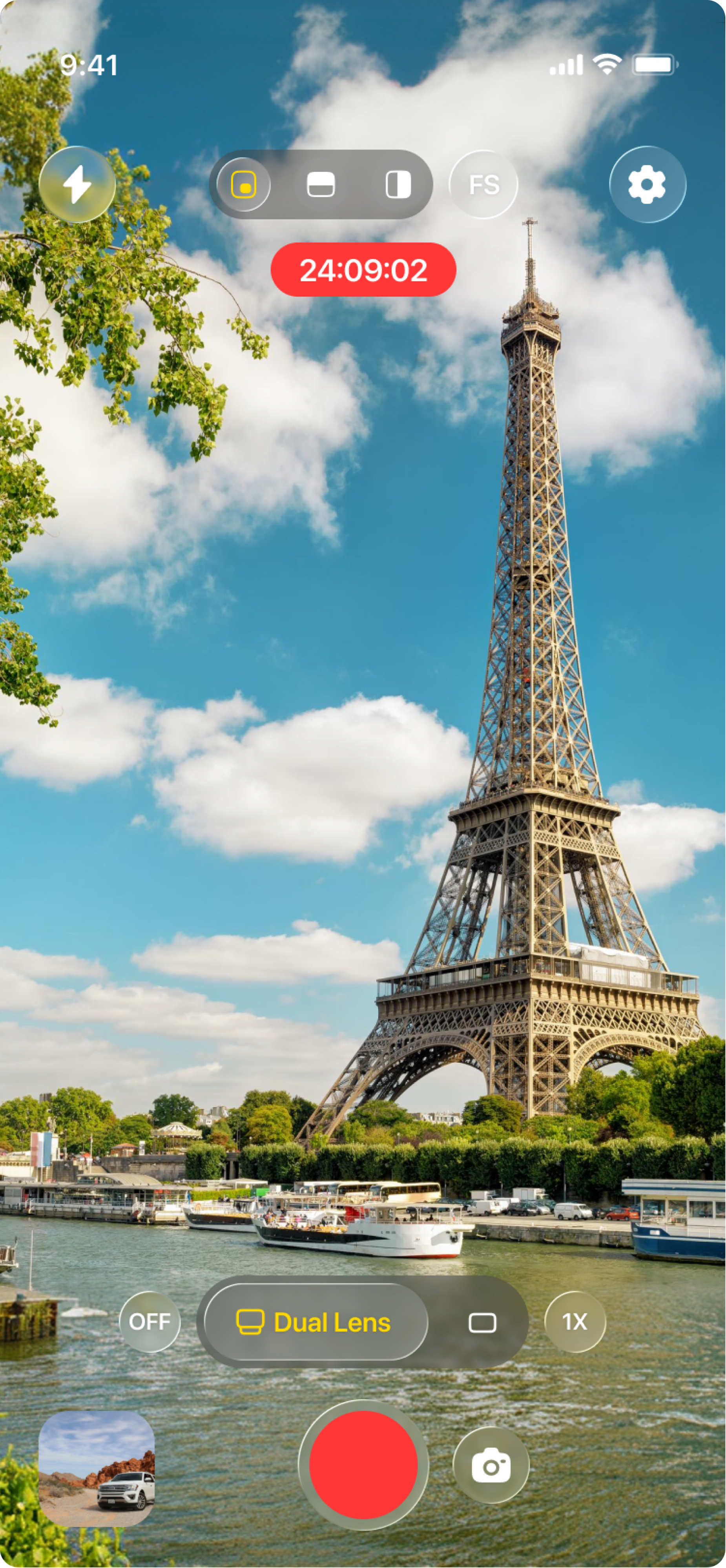
Dual cameras, Dual perspectives
Dual Lens Capture
Record with both front and back cameras at the same time. Capture your reaction and the world around you — simultaneously.
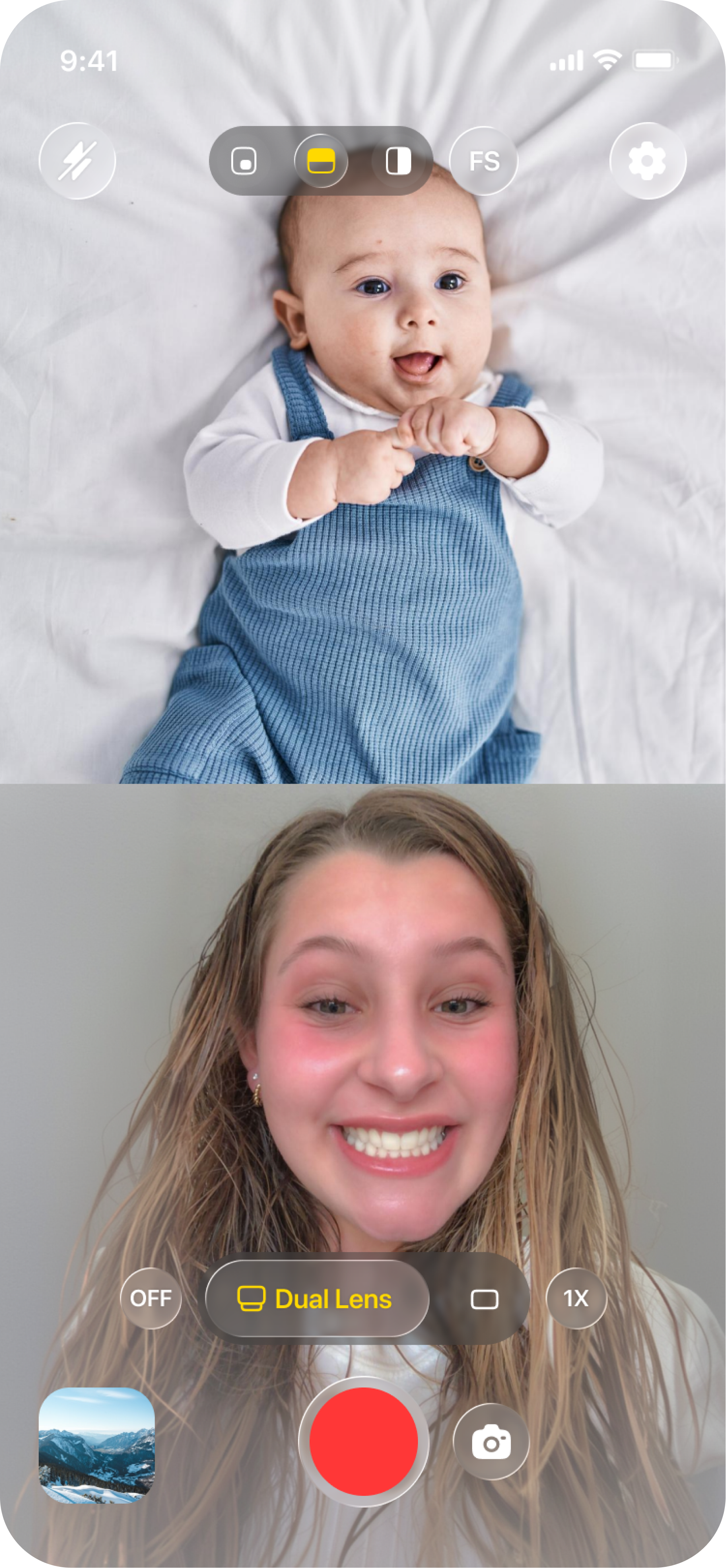
PiP, Portrait and Landscape
Flexible Layouts
Choose from multiple layouts — picture-in-picture, split-screen portrait, or landscape. Switch modes without stopping the recording.
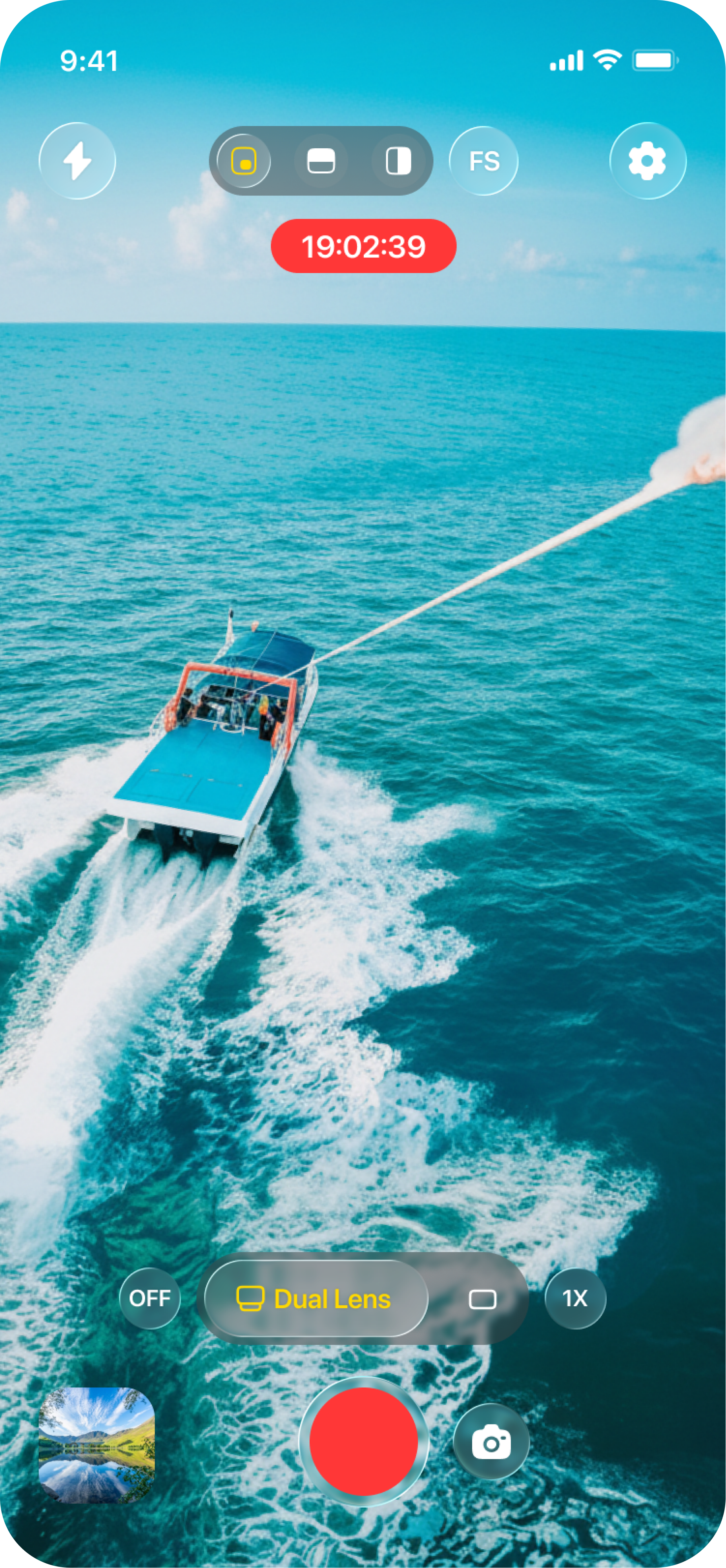
Two Stories, Double Fun
One Tap, Double Capture
Tap once to start and both cameras roll. Perfect for reactions, tutorials, travel vlogs, and any moment worth two angles.
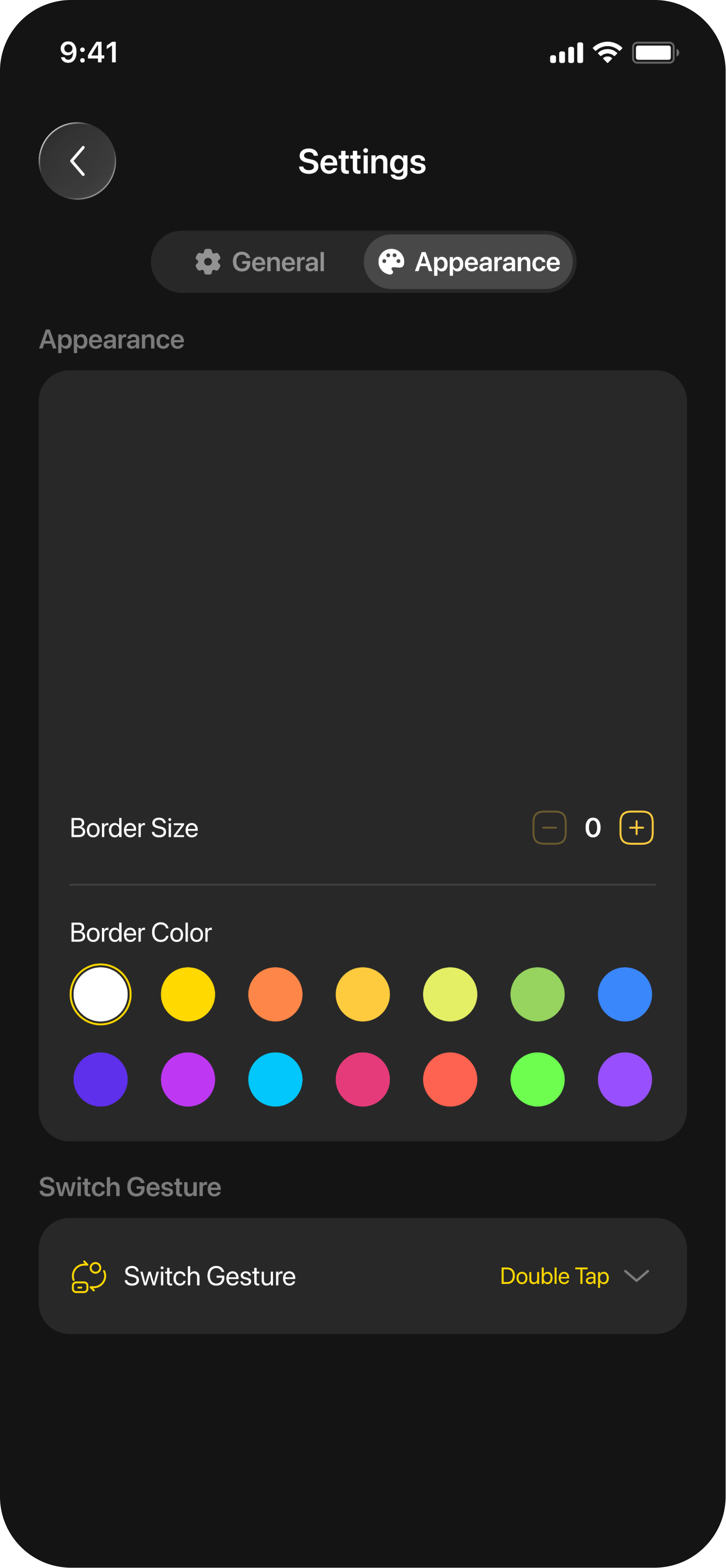
Your Camera, Your Way
Custom PiP UI
Adjust the size, shape, border, and position of the picture-in-picture overlay. Make every video uniquely yours.
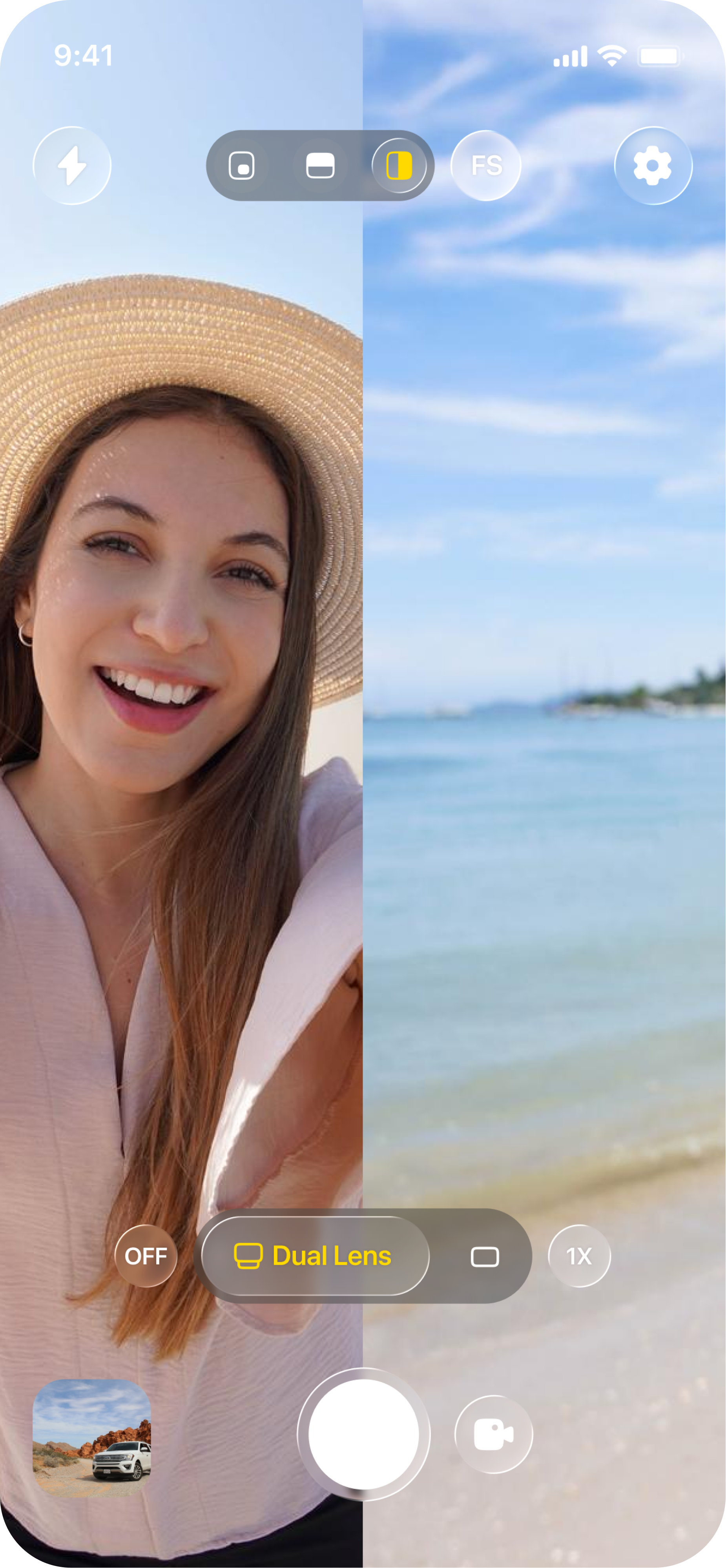
Dual View, Glass Style
Split Screen Camera
Show both perspectives side by side in a sleek glass-style split view. Professional look, zero editing required.
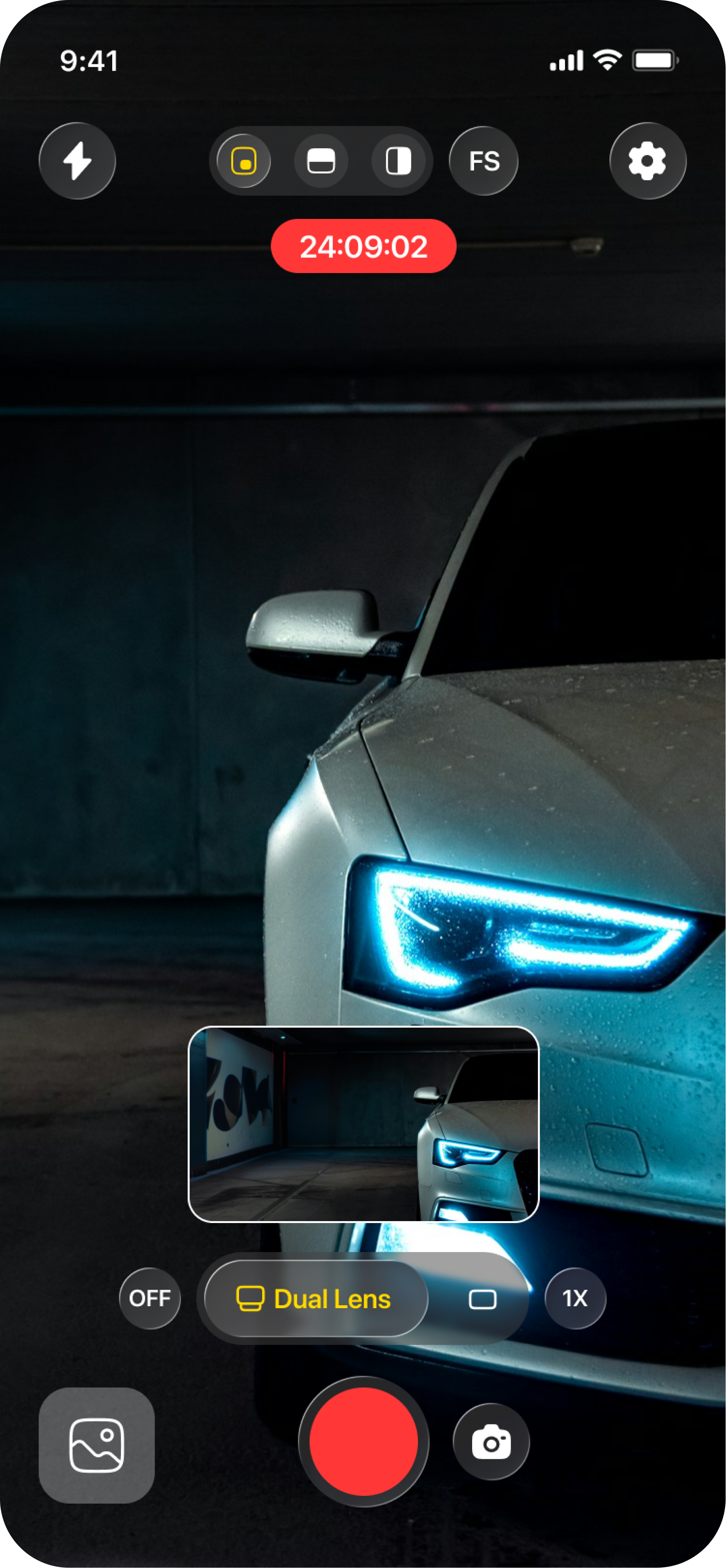
Ready for every platform in one tap
Create Once, Share Everywhere
Export directly to Instagram, TikTok, Facebook, and more. Your dual-camera video is platform-ready the moment you stop recording.
Built for creators
Whether you’re making content for social media or capturing precious moments, Dual Shot has you covered.
Simultaneous recording
Both cameras roll at once — no cutting, no delays, no missed reactions.
Multiple layouts
PiP, split-screen, portrait, landscape — switch between them without stopping.
Full customization
Control PiP shape, size, border color, and position to match your style.
One tap to start
Tap record and both cameras go. Simple, fast, and ready when inspiration strikes.
Glass split view
Elegant dual-view glass style that looks professionally edited right out of the camera.
Share everywhere
Export to Instagram, TikTok, Facebook and more — platform-ready in one tap.
Ready to shoot from both angles?
Download Dual Shot Recorder & Capturer and start capturing dual-perspective videos today — free on the App Store.
Download on App Store